Port Forwarding User Guide
Scope of Application
This guide applies to port forwarding and external network access configuration, supporting two port types: TCP (default support) and HTTP (contact customer service required), and is suitable for various service scenarios.
The HTTP port is not open by default (as supporting resources require separate configuration). If you need to use this type of port, please contact customer service for inquiries about the activation method.
Port Types
| Port Type | Activation Requirements | Function Description | Applicable Scenarios |
|---|---|---|---|
| TCP | No additional authentication required, default support | After configuration, generate a publicly accessible IP:Port | General services (such as model APIs, databases, middleware, etc.) |
| HTTP | Needs to complete relevant configuration in advance before activation (contact customer service for specific procedures) | After configuration, a randomly generated public network accessible domain name will be created, example: https://xxx.cluster-a.hpc-ai.com | HTTP service that needs to be accessed using a randomly generated domain name |
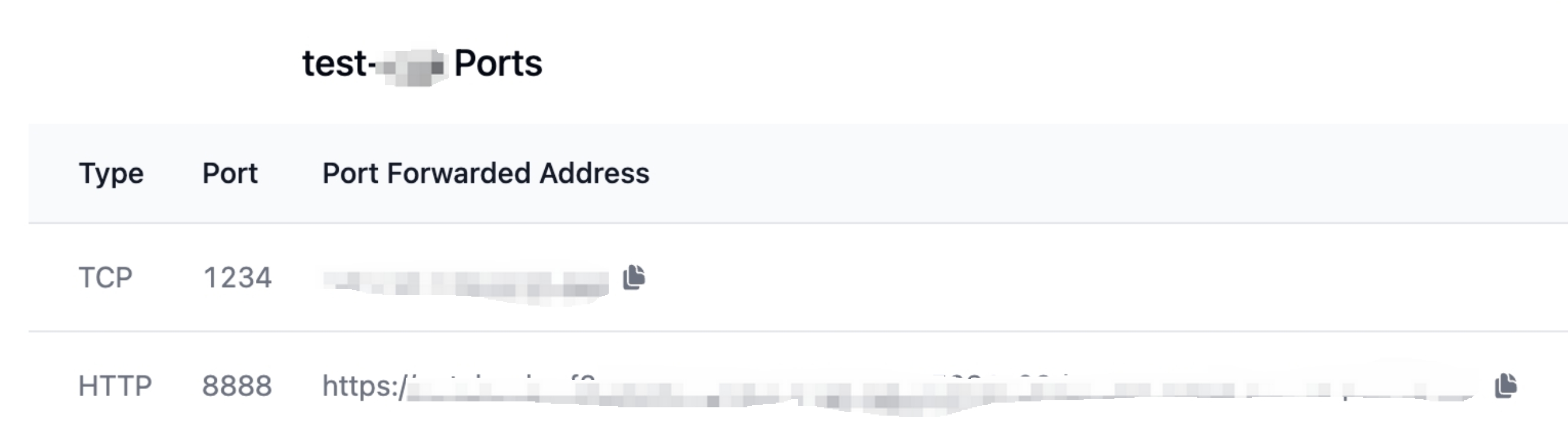
After the configuration is completed, the port forwarding information is as follows
Operation Steps
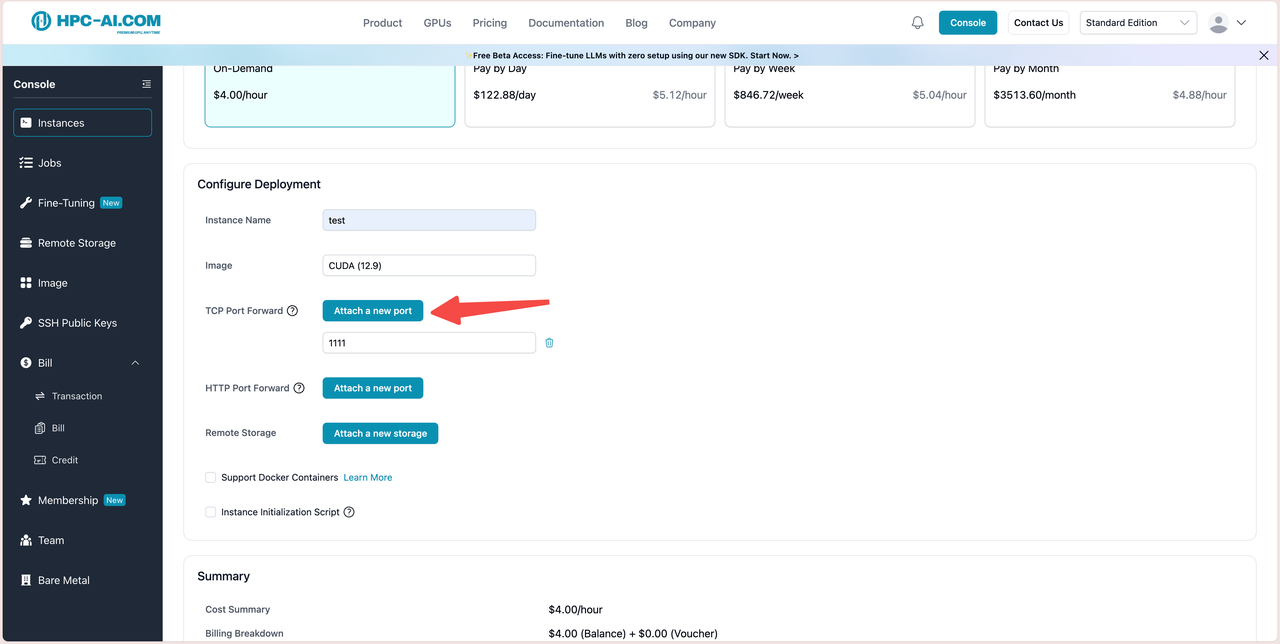
Step 1: Configure port forwarding for the instance
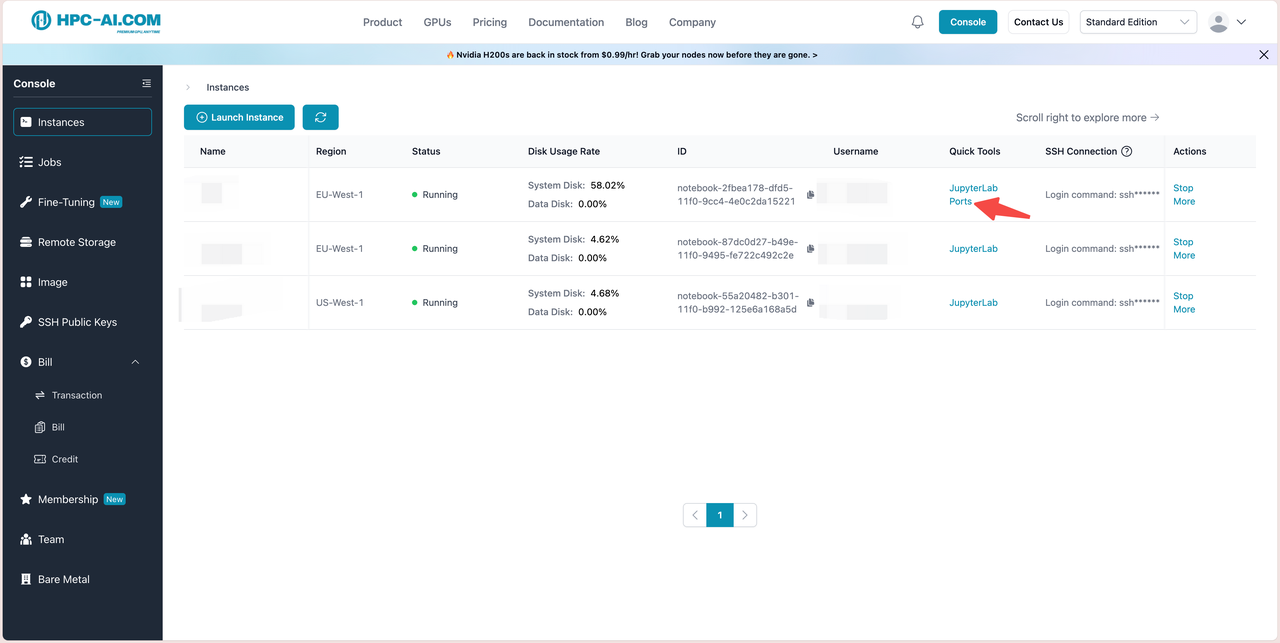
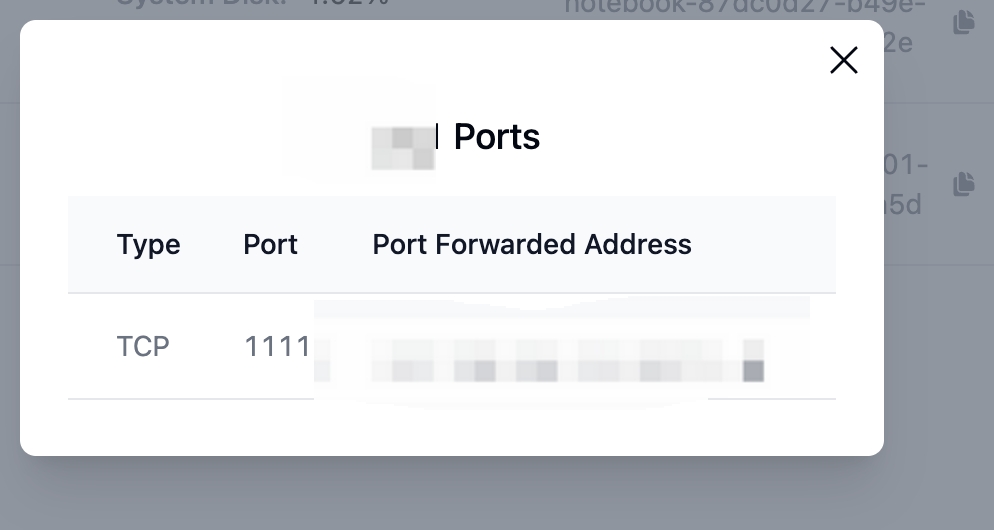
Step 2: View the public network access address
After configuration, you can view it in the following ways
Step 3: Deploy the service and verify access
-
Deploy the target service inside the instance and bind the service to 0.0.0.0:target port
-
Execute local verification of service availability within the instance
curl -X POST http://127.0.0.1:target port/v1/chat/completions \
-H "Content-Type: application/json" \
-d '{
"model": "Qwen/Qwen1.5-1.8B-Chat",
"messages": [{"role": "user", "content": "hello!"}],
"max_tokens": 50
}'
- Public Network Verification Access
# Replace with the public network forwarding address queried in Step 1, and execute directly in the local terminal (for public network access verification).

curl -v http://217.138.104.111:32171/v1/chat/completions \
  -H "Content-Type: application/json" \
  -d '{
    "model": "Qwen/Qwen1.5-1.8B-Chat",
    "messages": [{"role": "user", "content": "hello!"}],
    "max_tokens": 100
  }'
Frequently Asked Questions
- Local service is accessible, but public network shows "connection refused"?
Troubleshooting: Confirm that the service is bound to 0.0.0.0 instead of 127.0.0.1; Contact customer service to verify whether the port forwarding rules are configured correctly; Wait 1-2 minutes, as there may be a delay in the forwarding rules taking effect.
- Unable to access services within Docker containers from the public network?
Solution: When starting a container, you need to map the container port to the forwarded target port of the instance (e.g. docker run -p 1111:1111 image name ), and then start the service inside the container.